Protect Your Home and Wallet: Unplug These 5 Appliances When You’re Done Using Them
You turn it off. You walk away. You assume it’s done using electricity.
But many household appliances continue drawing power — even when they appear “off.”
This hidden energy drain is called phantom load (also known as standby power). And according to the U.S. Department of Energy, standby power can account for up to 10% of a home’s electricity use.
That means you could be paying for energy you’re not actively using.
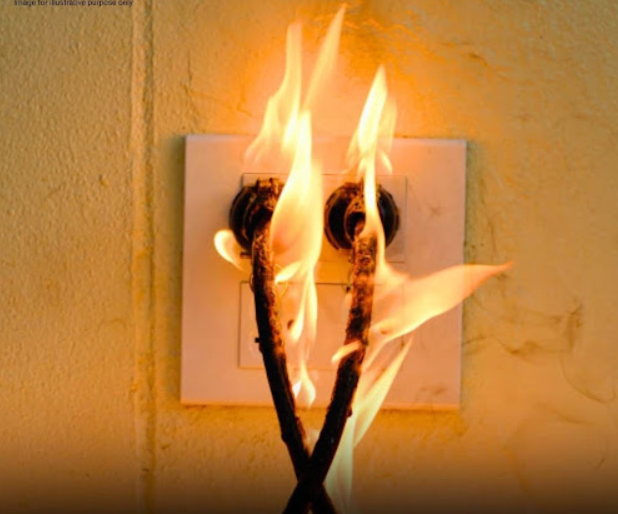
Even more concerning? Some devices generate heat or degrade over time, increasing fire risk if left plugged in unnecessarily.
Real savings — and real safety — often come down to small habits practiced consistently.
Let’s break down the five appliances you should unplug after use, why it matters, and how to do it safely.
What Is Phantom Load — and Why Should You Care?
Phantom load refers to electricity consumed by devices when they are turned off but still plugged in.
Common causes include:
- Digital clocks and displays
- Internal sensors
- Standby modes
- Charging transformers
Energy efficiency expert Dr. Leila Nour explains:
“Individually, standby loads seem small. But across dozens of devices in a home — 24 hours a day — they add up significantly.”
Now let’s identify the biggest everyday offenders.
❌ 1. Hair Styling Tools (Flat Irons, Curling Irons, Blow Dryers)
Why You Should Unplug
- Can reach temperatures over 400°F (200°C)
- Internal switches can fail over time
- Residual heat may ignite nearby materials
The U.S. Consumer Product Safety Commission (CPSC) reports thousands of residential fires annually linked to hair styling tools.
✅ Safety Tip
Unplug immediately after use and place on a heat-safe surface until fully cooled.
Bonus: Unplugging reduces wear on internal heating elements.
❌ 2. Space Heaters
Why You Should Unplug
- Draw up to 1,500 watts — one of the highest household loads
- Produce intense heat capable of igniting nearby materials
- Overheat protection systems can fail over time
Space heaters should never run unattended or overnight.
🛑 Important Rule
- Never plug into extension cords or power strips.
- If leaving the room — unplug it.
Fire safety consultant Prof. Mark Benson notes:
“Portable heaters are designed for temporary supplemental heat — not continuous operation.”
❌ 3. Toasters & Toaster Ovens
Why You Should Unplug
- Crumbs accumulate near heating elements
- Electrical components age and can short
- Often stored near flammable kitchen items
Even when not actively heating, older appliances may pose electrical risk.
✅ Smart Habit
Clean crumb trays regularly and unplug after each use.
❌ 4. Coffee Makers (Especially With Warming Plates or Digital Clocks)
Why You Should Unplug
- Heating plates may remain warm longer than expected
- Digital displays draw continuous standby power
- Internal components degrade over time
While programmable timers are convenient, they contribute to phantom load.
✅ Alternative
Use a smart plug with auto shutoff or unplug after brewing.
Bonus: Reduces mineral buildup and extends machine lifespan.
❌ 5. Laptop & Phone Chargers
Why You Should Unplug
- Continue drawing small amounts of power when idle
- Can overheat if covered by bedding or fabric
- Low-quality chargers increase shock risk
While modern chargers are safer and more efficient, they still contribute to standby energy consumption.
✅ Simple Fix
Unplug after charging — or use a smart power strip that cuts power automatically.
Energy & Safety Impact Overview
| Appliance | Typical Wattage | Primary Risk | Phantom Load Impact | Best Practice |
|---|---|---|---|---|
| Hair Tools | 800–1,500W | Overheating / Fire | Low standby | Unplug immediately after use |
| Space Heater | 1,500W | Fire hazard | High active draw | Never leave unattended |
| Toaster Oven | 1,200–1,800W | Crumb ignition | Low standby | Unplug after use |
| Coffee Maker | 800–1,200W | Heating plate degradation | Moderate standby | Unplug or use smart plug |
| Chargers | 5–100W | Overheating | Low but continuous | Unplug when not in use |
Other Devices Worth Unplugging (or Using Smart Plugs)
- Gaming consoles
- Televisions with standby lights
- Microwaves with digital clocks
- Printers
- Desktop computers
For convenience, consider:
- Smart power strips
- Energy-monitoring outlets
- Programmable timers